- Madrix Product Brochure
- Madrix Luna User Manual
- Madrix Luna Quick Start Guide
- Madrix LUNA 4/8/16 Driver
-
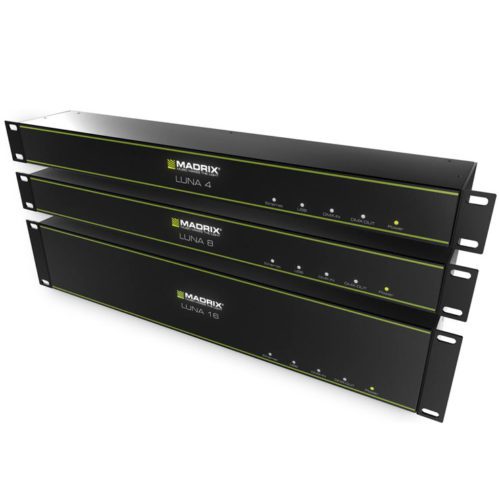
SKU# LUNA-SERIESMadrix Luna Configuration Problems and Solutions If you’ve tried to configure your Madrix Luna thru Artnet using the Quick Start Guide and the software does not find the Luna. Then you may have to update the Luna’s firmware. To update the Firmware, connect the USB, close and open Madrix, then go to TOOLS/LUNA CONFIGURATION once Madrix detects your Luna, you highlight the unit and click “firmware”. Firmware update process should begin. This should fix ArtNet connectivity between Madrix and Luna. The MADRIX Luna family is made up of multi node DMX interfaces used for multiple universe installations. Available in 4, 8 and 16 universe configurations, the Luna is equipped with different modes and features. It can be used as an Art-Net device, allowing the user to convert DMX to Art-Net for projects that call for such application. It can also be used to distribute from 4 to 16 DMX universes with 1 DMX input depending on the Luna model you chose. For larger projects that call for more universes, multiple Lunas can be used. In MADRIX synch mode, the Luna allows you to synchronize Art-Net Data across 4-16 ports with no visual interruptions. The Luna is compatible with any third party Art-Net controller. Specifically designed by MADRIX, the Luna is the easiest multi node interface to configure. It is literally plug and play, and it is fully customizable as well. If settings need to be edited, it can all be easily done from the Device Manager section in the MADRIX software. High quality construction is what makes this interface reliable. Manufactured and designed in Germany, along with great customer support the Luna will definitely get the job done right the first time around. Made with only the highest quality components, the MADRIX Luna is designed to last. The Lunas have the standard rack dimensions, for easy rack installation and configuration. If a project calls for multiple Lunas, they can all be incorporated in a rack to neatly keep everything in place. With different status lights, and high quality Neutrik connectors, the MADRIX Luna will keep the show going in an effortless manner. The MADRIX Luna can also be used as a simple DMX to USB interface. It comes with a USB cable, making it a very versatile product capable of achieving many different styles of operation, from the most basic, to the complex. No matter if your set up is large scale or a smaller installation, the Luna will make the configuration a lot easier. There is very little programming to be done since it was specifically designed to work with MADRIX. Whether you are looking for high grade professional equipment that will not let you down, or you are just starting off in the lighting industry and you are looking for a simple, plug and play alternative to an otherwise complicated set up, the MADRIX Luna is ready to undertake any task, no matter the magnitude. Here at SIRS-E we stand by the products we represent and we want to give you the best experience possible. We know our products very well, and we want you to succeed in your next DMX lighting operation. Quick Links: -
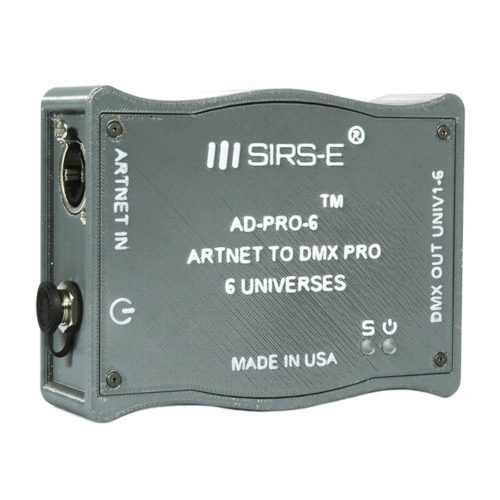
SKU# AD-PRO-6Tech Specs:- Signal Input: Ethernet ArtNet Protocol
- Signal Output: DMX 512 Protocol
- Power Supply: DC 12V/1.25
- Supply Current: 350mA
- Input Supply Voltage: 7V-24V
- Part Number: AD-PRO-6
- Ethernet protocol ArNet III Input.
- DMX 512 Protocol Output.
- Capable of controlling up to 6 DMX Universes ( 3072 Channels).
- Ergonomic Enclosure made with high quality ABS material.
- Web Server available for easy configuration and setup.
- DMX lines have overload protection.
- Includes 12V Power Supply, Breakout Cable for 6 Universes (DB15 to 6 XLR Connectors) and Heavy Duty CAT5 RJ45 to RJ45.
- AD-PRO-6 Data Sheet
- AD-PRO-6 Quick Configuration Guide
- AD-PRO-6 Custom Configuration Guide
- AD-PRO-6 Breakout Cable Pinout
-
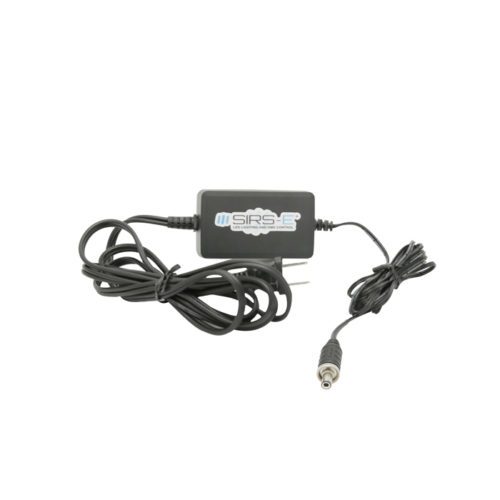
SKU# AD-PRO-6-PSTech Specs:- 1 -Type A Electrical Male Plug
- 1 -2.5MM sealed IP68 Power Plug
- Input: AC 120V
- Output: DC 12V
- Current: 1.25A
- Length: 68"
- Color: Black (White XLR Cable)
- Made with High Quality Switchcraft Components
- Assembled in the USA.
-
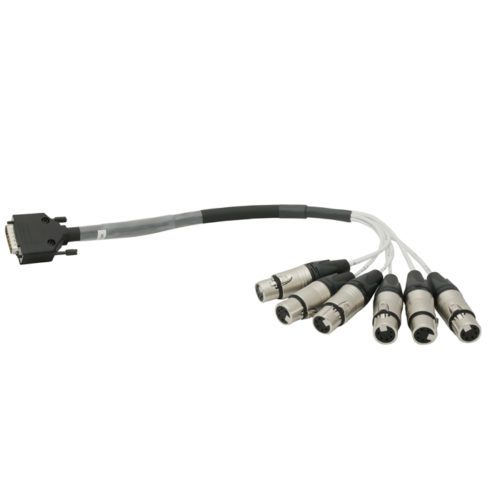
SKU# AD-PRO-6-BKTech Specs:- 1 - DB-15 Male Connector
- 6 - 5 Pin XLR Female Neutrik Connectors
- Length: 19"
- Color: Black (white XLR cable segments)
- Made with High Quality Horizon Cable
- Made with High Quality Neutrik Connectors
- Complies with DMX512 USITT standards
- Made in the USA.
-
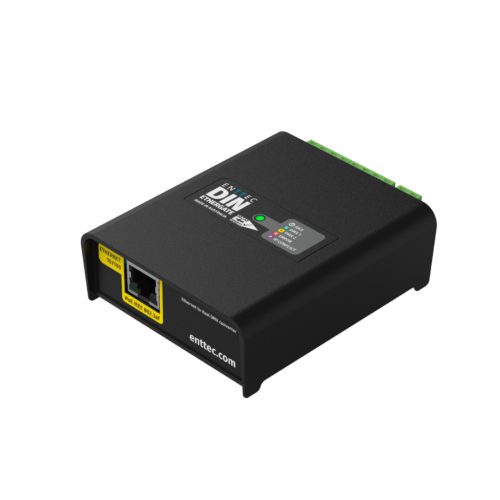
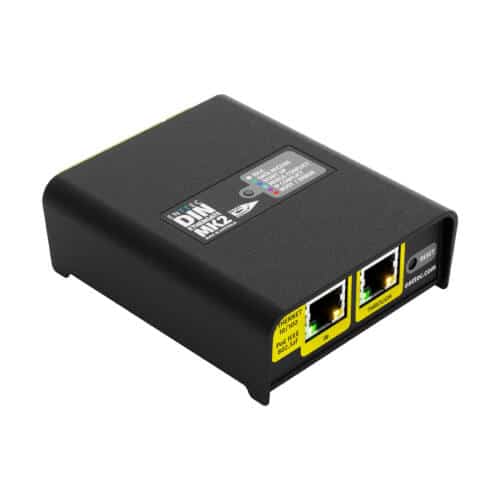
SKU# 71030Next-generation Ethernet to DMX/RDM gateway The DIN Ethergate is a robust and reliable, installation-grade, Ethernet to DMX converter that has been engineered to connect physical DMX devices to your Ethernet network infrastructure. Now you can expand your network entertainment project to the next level. With two Universes of bi-directional eDMX to DMX conversion with Art-RDM support, the DIN Ethergate is compatible with a wide range of devices and allows for fast deployment of your DMX system. Simply connect, configure and take control! In addition, this Ethernet to DMX/RDM gateway is packed with installer-friendly features for fast installation and configuration, all managed through the user interface. All contained within a compact and electrically-insulated 4-DIN-module width unit form factor. With 2 universes of bi-directional eDMX to DMX conversion with ArtRDM support, power over ethernet (PoE) or flexible 12-24v DC input, the DIN Ethergate allows for fast deployment of DMX systems. Downloadable Documentation: Datasheet User Manual Product Specification Firmware V2.3 Release Notes Technical Drawing / Dimensions Note: DIN Ethergates manufactured before July 2022 with serial number 2361126 or lower (in hexadecimal) are not compatible with firmware V2.0 or higher. Please use the firmware below if you have a RevA hardware device. Firmware V1.2 -
SKU# 71031With 2U bi-directional Ethernet to DMX conversion with Art-RDM, or 4U Overdrive Mode for DMX500K (compatible fixtures only), PoE or flexible 12-24v DC input, the DIN Ethergate Mk2 allows for fast deployment of DMX systems and is compatible with a wide range of devices. Downloadable Documentation: Din Ethergate Datasheet Din Ethergate User Manual DIN Ethergate Mk2 firmware v1.0 DIN Ethergate Mk2 release notes